

Augmented Reality technology has become essential for creating interactive mobile and wearable applications. Each device uses different technical standards, which means you have to pick development tools based on specific platform requirements. Software Development Kits (SDKs) simplify that process by offering frameworks tailored to Android, iOS, and dedicated AR hardware.
If you are working with an augmented reality app development company, you won’t have to worry about the technical nitty-gritty. Building an AR app involves more than just adding visual effects. You need to think about device compatibility, 3D rendering performance, tracking accuracy, and energy consumption. A poorly chosen SDK may limit your deployment range or increase development time.
Even developers with experience in mobile gaming or simulation tools often face unique issues when building AR features. For example, a tracking system that works indoors on LiDAR-equipped iPhones might fail on budget Android phones with no depth sensors. Teams need to test across devices early to avoid rework and delays.
Choosing an SDK is more than a technical decision. It affects your workflows, your team’s efficiency, and the quality of user experience you can deliver. Below are five AR development tools that help you build apps faster, test across platforms more easily, and support real-world commercial needs from day one.
What is AR SDK? Why it matters when you build augmented reality apps
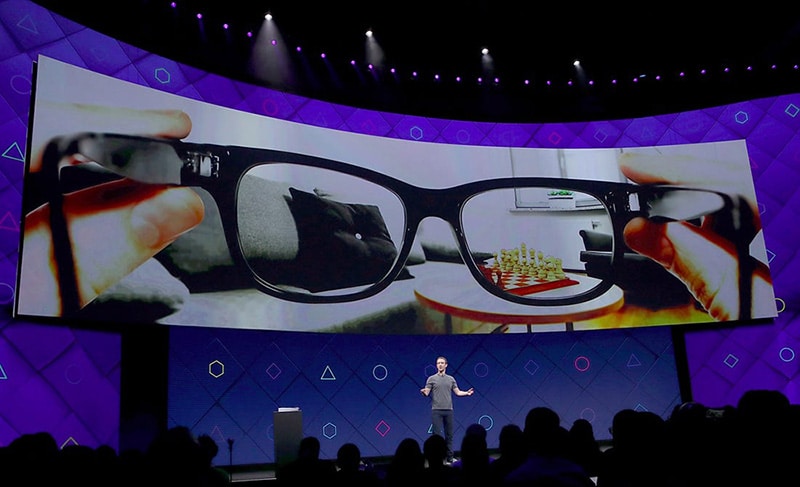
An AR SDK is a type of augmented reality software designed to help you build apps faster and with fewer technical roadblocks. The term stands for Software Development Kit. It refers to a set of tools that let you add AR features without coding everything from scratch.
You usually get prebuilt libraries, APIs, documentation, sample projects, and debugging tools in a single package. With an SDK, you skip manually writing code for standard AR features like object tracking, surface detection, or real-time rendering.
Without an SDK, developers would waste hours solving problems that have already been solved hundreds of times. You don’t want to write your own camera calibration system or scene mapping logic unless there’s a good reason. An SDK gives you proven components that have already been tested and are widely used.
If you’re planning to build an AR app, you need software that works across devices, performs well in real-world conditions, and lets you maintain flexibility as your project scales. SDKs support that by giving you a working base and reducing the number of unknowns during development.
Below are five widely used SDKs that help your developers deliver strong AR features across various platforms without losing control over performance, cost, or device compatibility.
Our top 5 augmented reality development tools
1. Vuforia
Vuforia remains one of the most widely used AR SDKs in commercial development. You can choose from several tools under its umbrella, including Vuforia Engine, Studio, and Chalk. With this tool, you can build both marker-based and markerless AR applications without switching tools or rewriting core logic.
Developers often choose Vuforia for its reliability in object tracking and real-time recognition. It supports features like Ground Plane, which places content on horizontal surfaces, and Visual Camera, which adds compatibility with more hardware types beyond phones and tablets. VuMarks is another feature that lets you create custom markers for object recognition and embed data directly in the marker. Without major codebase changes, you can apply Vuforia across industries, including manufacturing, education, and retail.
Vuforia also integrates well with Unity, so you don’t need to build a rendering engine from the ground up. That saves time and reduces the number of bugs that come from trying to connect third-party libraries.

Ground Plane support helps you create a stable surface-based AR.
Excellent image and object recognition across different lighting conditions.
VuMarks let you combine AR markers with data-carrying capabilities.
Compatible with both Android and iOS via Unity integration.
Available support tools like Studio help speed up prototyping.

Limited visual scripting support compared to some newer SDKs.
Commercial license costs can add up for enterprise-grade use.
Lacks some advanced occlusion or environmental understanding features out of the box.
2. Wikitude
Wikitude became a serious contender in AR development not long after entering the market in 2008. Today, many developers compare it directly with Vuforia when selecting an SDK. A single Wikitude project can target iOS, Android, and Smart Glasses devices, making it a solid choice for cross-platform use.
It offers core features like image and object tracking, but it also brings geolocation support into your AR app so that you can create location-aware content based on GPS input. Cloud recognition helps offload some of the processing from the device to the server, improving lower-end hardware performance. Distance-based scaling adjusts how AR content appears based on user movement, giving you more control over the visual experience. Wikitude also comes with a robust Unity plugin and a JavaScript API.
Wikitude can be applied to AR marketing campaigns, training tools, tourism apps, or utilities that need spatially aware content. Development teams looking to launch on smart glasses platforms like HoloLens or Epson Moverio also find their native support helpful.
Native support for location-based AR with GPS integration.
Cloud recognition improves runtime efficiency.
Distance-based scaling adds realism without custom math.
Unity and JavaScript SDKs provide flexibility across stacks.
Good documentation with working demos for fast learning.
Cloud features require strong internet access to function well.
Subscription-based pricing may limit access for smaller teams.
Some functions require a deeper technical setup compared to plug-and-play SDKs.
3. ARKit
ARKit is Apple’s official toolkit for augmented reality software development. You won’t be able to use ARKit for Android, but if your app targets iPhones or iPads, it’s one of the best options available. Apple designed ARKit to be both powerful and easy to understand, especially if you’re already familiar with Swift or Xcode.
The SDK combines input from the camera, gyroscope, and accelerometer to map real-world surfaces. You can apply fast motion tracking and face detection, and you can even integrate Quick Look to place 3D models directly in the user’s space. Every version of iOS comes with new features, and Apple updates its documentation and ARKit tutorial library consistently. You can build advanced AR features without third-party tools or additional costs.
Integrating ARKit into an app can take only a few days if your team already works within the Apple ecosystem. You also get full support for Apple’s latest hardware features, including LiDAR scanners and advanced depth APIs.
Optimized for iOS hardware, including iPhone and iPad sensors.
Regular updates and tight integration with new iOS versions.
Native face tracking and body tracking support.
Quick Look lets users view 3D models in their environment without an app.
Well-documented API with ARKit tutorial (the keyword) guides.
Cannot be used for Android or cross-platform projects.
Relies heavily on the latest Apple hardware for best performance.
Limited flexibility outside the Apple toolchain (Swift, Xcode, RealityKit).
4. ARCore
ARCore is Google’s answer to ARKit, explicitly built for Android devices. It offers many of the same functions, like plane detection, motion tracking, and environmental lighting adjustments. If you’re focused on Android development, ARCore gives you everything needed to integrate core AR features directly into your app.
You can also take advantage of more advanced capabilities. For example, the augmented images feature helps trigger responses to specific objects and logos. ARCore supports shared experiences, so you can simultaneously display the same content on multiple devices using multiplayer. Integration with Unity is smooth, and many developers apply the ARCore Unity pairing to build performant apps. Before starting, check the list of ARCore Supported Devices to confirm whether the target hardware is compatible.
If you are working with newer phones, you also get Sceneform (a deprecated but sometimes still used tool) and Depth API access. Combined with Android’s hardware flexibility, this gives you many development paths depending on device specs.
Strong native integration with Android’s OS and camera API.
Augmented images allow for detailed visual triggers.
Multiplayer AR is available without third-party SDKs.
Works well with Unity and Unreal Engine via plugins.
Open-source components provide customization flexibility.
Device support is fragmented; check ARCore Supported Devices (the keyword).
Performance varies heavily depending on the phone model and manufacturer.
Some tools, like Sceneform, are no longer actively maintained.
5. ARToolKit

ARToolKit is an open-source (the keyword) SDK, which means you can use and modify the source code without licensing fees. If you’re building apps across multiple platforms, ARToolKit works with Android, iOS, Windows, Linux, and OS X. It’s a practical option when you want complete control over how your AR features are built.
Even though the toolkit originated in 1999, it has kept pace through updates and community contributions. Features include support for planar image tracking, black square markers, real-time performance, and custom marker generation. You can also apply camera calibration easily to improve recognition accuracy. If you’re working in Unity or using OpenSceneGraph, ARToolKit includes optional plugins to simplify the integration process.
You’ll find ARToolKit especially useful in academic projects, research prototypes, and open-source applications where transparency and code ownership matter. It may not come with commercial-grade support, but you’re not locked into proprietary licenses or pricing models.
Fully open-source and customizable for any platform.
Available across major operating systems, including desktop environments.
Includes marker-based and feature-based tracking.
Lightweight and fast, even on mid-tier hardware.
Comes with Unity and OpenSceneGraph plugins for easier integration.
UI and documentation are less polished than commercial SDKs.
No formal customer support or licensing protection.
Some modern AR features (occlusion and depth sensing) require extra work.
Reflecting on the choice what AR SDK to choose
Selecting an appropriate AR SDK requires a clear understanding of project requirements, target devices, and the technical constraints of augmented reality development. Each SDK presented above serves specific use cases and offers a unique combination of capabilities, supported platforms, and integration paths. No single toolkit is universally optimal; the correct choice depends entirely on your augmented reality application’s functional scope and technical goals.
For instance, projects designed exclusively for iOS benefit from ARKit due to its direct integration with Apple hardware and operating system APIs. If Android support is required, ARCore becomes essential. Developers building for both platforms often rely on cross-platform solutions such as Vuforia or Wikitude, which streamline asset deployment and interface consistency across devices. In contrast, ARToolKit offers open-source flexibility for teams seeking complete code-level control or operating in academic or experimental environments.
Several factors must be evaluated during the decision-making process:
- Platform compatibility. Determine whether the application will target Android, iOS, smart glasses, or multiple device types.
- Feature availability. Confirm that the SDK supports the required capabilities, such as image tracking, geolocation, multiplayer AR, or integration with 3D engines.
- Development environment. Consider whether your team uses Unity, native mobile toolkits, or other frameworks, as this will affect both the speed and stability of implementation.
- Licensing and scalability. Assess whether the SDK’s pricing and support models align with your project’s timeline, expected usage, and long-term maintenance requirements.
Organizations planning to outsource development should verify that their chosen augmented reality app development company has demonstrable experience with the relevant SDK. In addition to ascertaining portfolio examples, it is advisable to assess:
- Familiarity with hardware-specific constraints and optimization strategies.
- Testing procedures for ensuring performance consistency across supported devices.
- Provisions for SDK version management and future compatibility.
The selection of an AR SDK should be treated as a strategic decision with long-term implications for maintenance, user experience, and technical support. Careful alignment between the development toolkit and application objectives significantly reduces time to deployment, minimizes rework, and ensures the final product operates reliably across intended platforms.
Why Program-Ace is a reliable choice for AR development
Numerous development firms offer AR services, but not all combine technical depth with long-term experience in complex software delivery. Program-Ace operates as an innovative solutions integrator with time-proven expertise in software development, including extensive work in both augmented and virtual reality.
Our team has delivered practical, industry-tested AR applications for defense, manufacturing, education, and enterprise clients. One example involved developing a training application for military personnel, which used augmented reality to simulate the wheel replacement process for various vehicle types. The solution reduced training time, eliminated the need for physical equipment, and improved overall engagement.
Program-Ace supports projects at every stage, from requirements analysis and SDK selection to cross-platform deployment and long-term maintenance. Whether your team needs a prototype, a full-scale commercial solution, or a consultation on existing AR systems, we offer a direct and technically grounded development approach.
You are welcome to review our portfolio of completed AR and VR projects. If you have questions or would like to explore how we can assist with your next project, contact us to begin the discussion.