
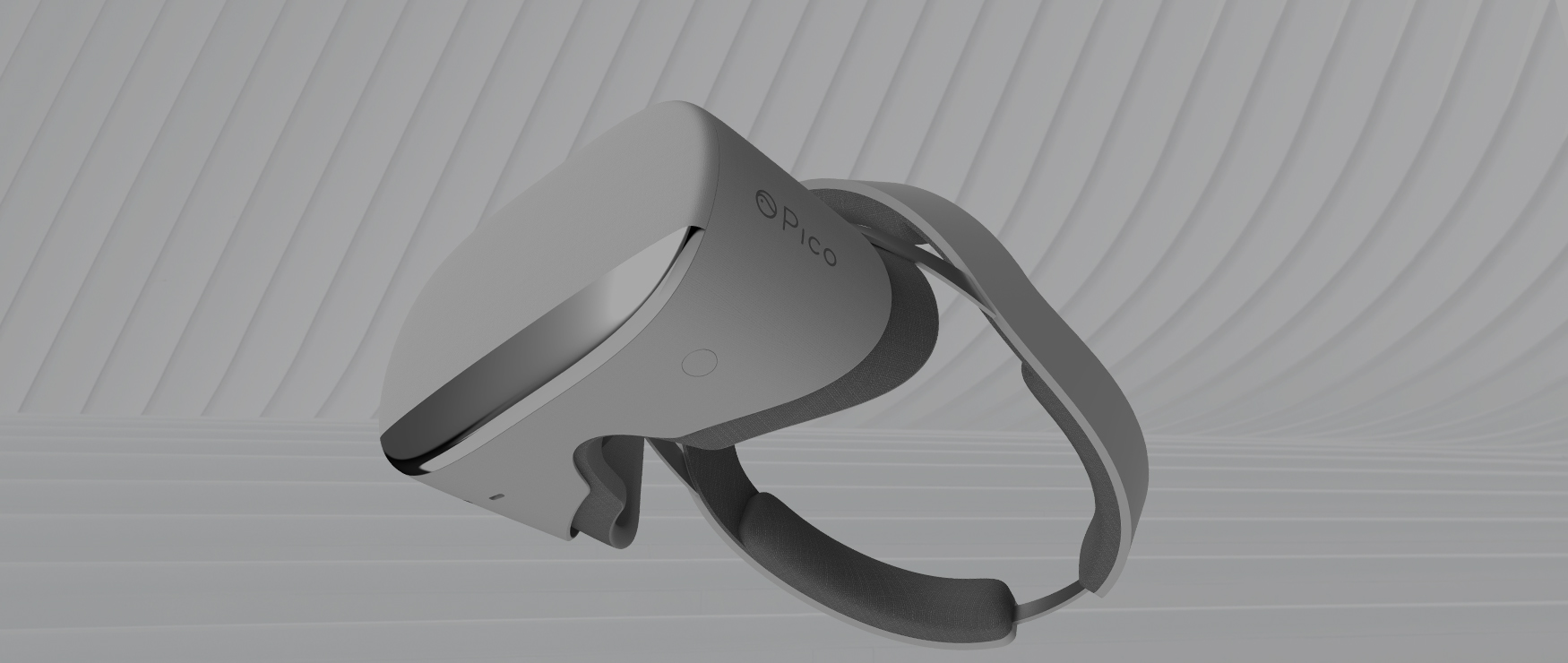
Pico Neo is a line of standalone VR headsets from Pico that broke from the games-first crowd by targeting enterprise use. This guide covers the Neo lineup (Neo CV, Neo 2, Neo 2 Eye, Neo 2 Lite, and Neo 3), how it compared to rival headsets, and how businesses build on it. Note that Pico has since moved its enterprise line forward to the Pico 4 Enterprise and Pico 4 Ultra Enterprise, so the Neo models below are the foundation the current range grew from.
Rather than games and entertainment, Neo was built to deliver practical value to businesses, which is one reason companies chose it for VR application development.
Below we look at each Pico Neo version, how it stacked up against the competition, and how you can use the platform for your business.
Which versions of Pico neo are available?
People often say Pico Neo for a single model, but it names a whole line of headsets from Pico, a company operating since 2015. Pico grew from a startup into a major VR player on the strength of the Neo range. Here are the Neo models in order of release:
1. Neo CV
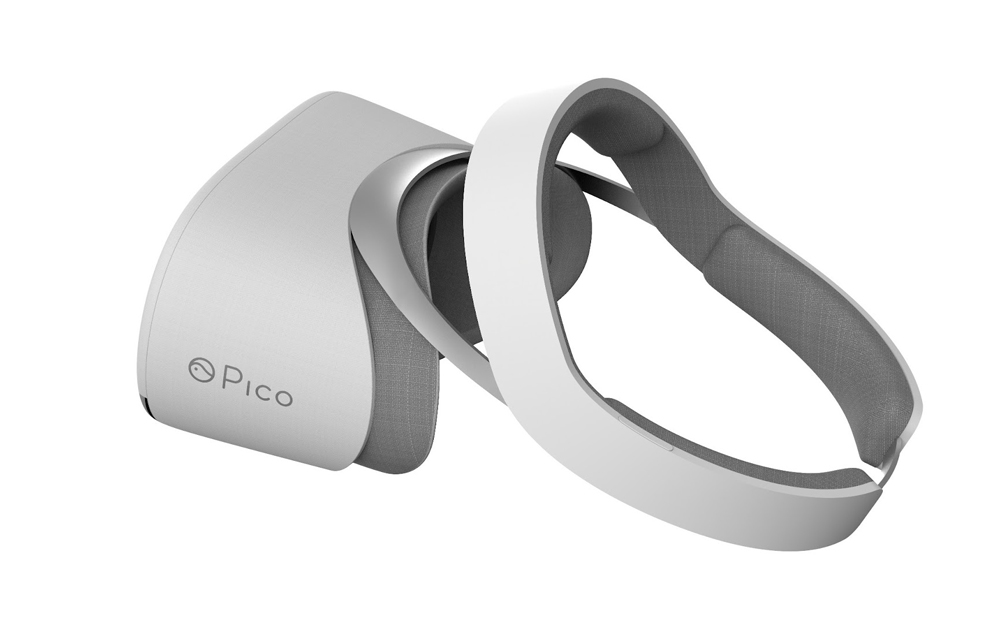
The Neo CV was Pico’s first global VR headset, launched in 2017. It had a grey design, low weight, and a 90 Hz refresh rate, but its standout trait was being fully wireless at a time when most untethered headsets still relied on a slotted-in smartphone for visuals.
2. Pico neo 2
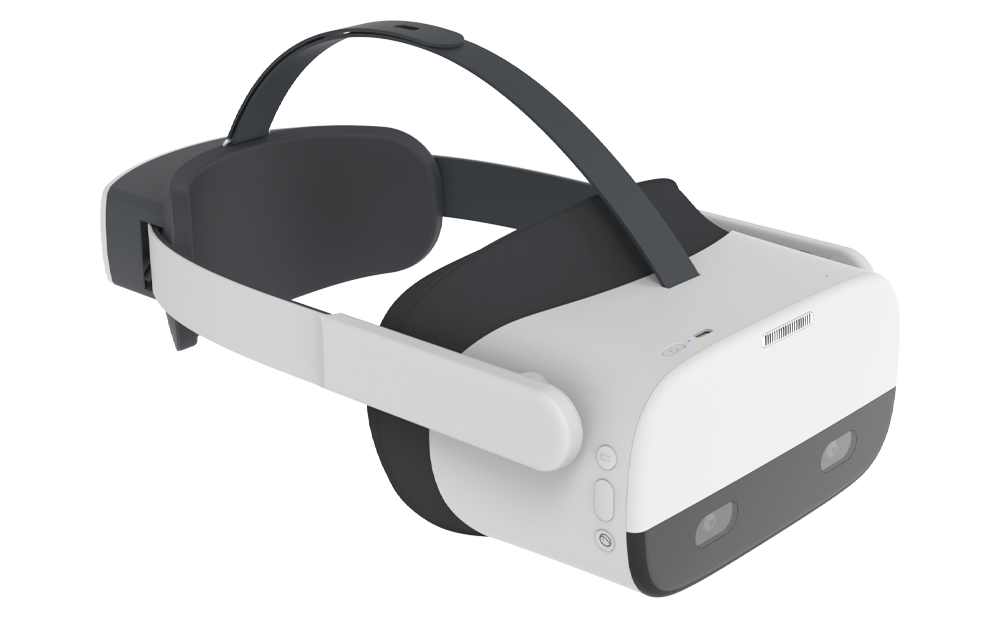
Released in January 2020, the Neo 2 upgraded nearly everything about the original. It added a grey-and-black design, two controllers with buttons and triggers, 4K visuals, and 6 degrees of freedom (6DOF) for free, untethered movement in any direction.
3. Pico neo 2 eye
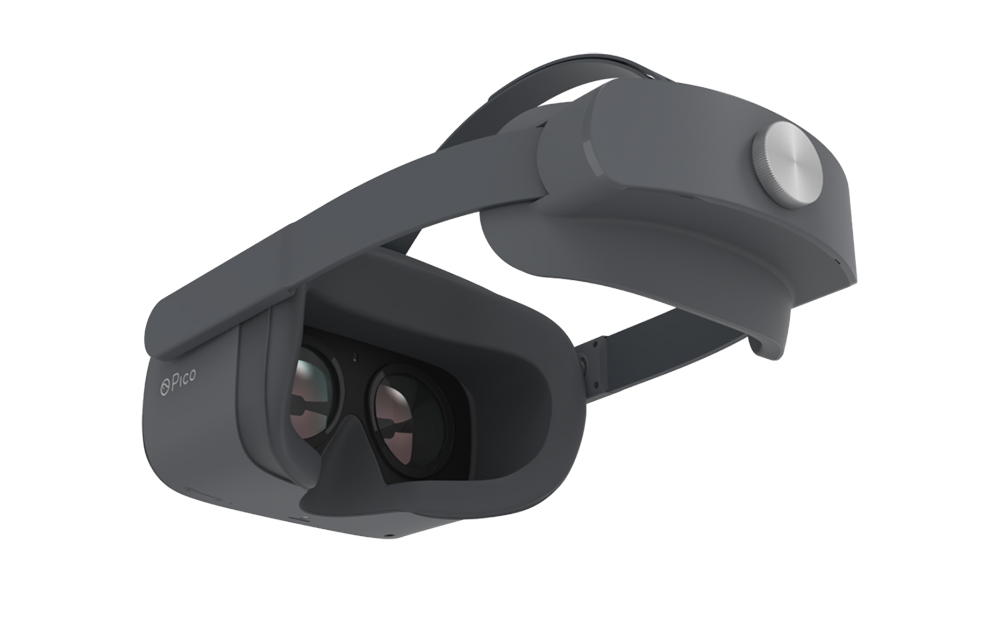
The Neo 2 Eye shipped alongside the standard second-generation model and added its defining feature: native eye tracking. Where most headsets rely on controllers and head movement, the Eye variant reads eye movement directly. It is 20 grams heavier and slightly more expensive, but visually identical.
4. Neo 2 lite
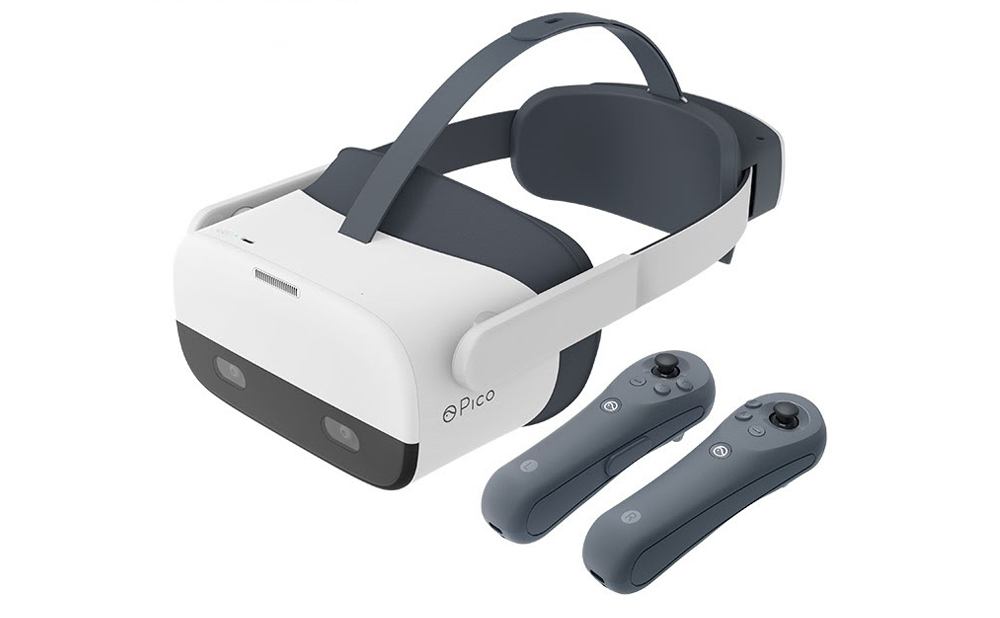
The Neo 2 Lite was a China-only model, about $100 cheaper than the standard second-generation headset. It kept crisp detail plus ample RAM and storage, with the trade-off in speed: its Snapdragon 845 processor was slower than many rivals of the time.
Other VR headsets from Pico interactive
The Neo line was not Pico’s only range. The Goblin, another 2017 device, stood out on price at $250 and marked Pico’s first move into enterprise, aimed at classrooms.
The successor to the Goblin was G2 (Goblin 2) released in 2019. In contrast to the first Goblin, this was a high-end device with top-notch specs. This included impressive 4K resolution, as well as increased battery life and storage. Following the traditions of the first model, G2 also targeted enterprise customers, offering them a moderately-priced yet technically impressive solution.
The Neo 3 followed the second generation with a standard and an Eye variant, both stepping up the hardware and, on the Eye model, the eye tracking. Pico’s enterprise range has since progressed again to the Pico 4 Enterprise and Pico 4 Ultra Enterprise, which move to pancake lenses, colour passthrough, and a Snapdragon XR2 Gen 2 chip.
Pico neo specs
Aesthetics and user convenience are important factors to consider, but you will not be able to make an informed choice of Pico headsets without examining and comparing their specs:
| Spec/Model | Neo CV (Original) | Neo 2 | Neo 2 Eye | Neo 2 Lite |
| Resolution | 1280×1080 | 1920 x 2160 | 3840 x 2160 | 3840 x 2160 |
| Refresh Rate | 90 Hz | 75 Hz | 75 Hz | 75 Hz |
| Battery Life | 2.5 hours | 2.5 hours | 3 hours | 2.5 hours |
| Weight | 362 g | 350 g | 690 g (with controllers) | 690 g (with controllers) |
| RAM | 4GB | 6 GB | 6 GB | 6 GB |
| Storage | 32 GB | 128 GB | 128 GB | 64 GB |
| Other features | Untethered movement, user motion tracking | 101-degree FOV, 6 degrees of freedom, improved tracking | Native eye tracking, 6 degrees of freedom | 6 degrees of freedom |
| Spec/Model | Neo CV (Original) | Neo 2 |
| Resolution | 1280×1080 | 1920 x 2160 |
| Refresh Rate | 90 Hz | 75 Hz |
| Battery Life | 2.5 hours | 2.5 hours |
| Weight | 362 g | 350 g |
| RAM | 4GB | 6 GB |
| Storage | 32 GB | 128 GB |
| Other features | Untethered movement, user motion tracking | 101-degree FOV, 6 degrees of freedom, improved tracking |
| Spec/Model | Neo 2 Eye | Neo 2 Lite |
| Resolution | 3840 x 2160 | 3840 x 2160 |
| Refresh Rate | 75 Hz | 75 Hz |
| Battery Life | 3 hours | 2.5 hours |
| Weight | 690 g (with controllers) | 690 g (with controllers) |
| RAM | 6 GB | 6 GB |
| Storage | 128 GB | 64 GB |
| Other features | Native eye tracking, 6 degrees of freedom | 6 degrees of freedom |
Pico neo 2 review
The standard Neo 2 resolution (1920 x 2160) is lower than the Eye version (3840 x 2160), but at around $650 it was still strong hardware. Testing it, our team liked the design, especially the hygienic face attachment that let several specialists try it in turn without sharing sweat or dirt.
Setup was quick thanks to the wireless design, and the low weight let testers use it for hours without strain while the tracking followed detailed movements accurately. Our Pico Neo test mainly ran Android training apps, and performance held up well, so it scored high on usability and function for us.
How does Pico neo 2 compare to other VR headsets?
We’ve talked a lot about the defining features of the Neo lineup, but this doesn’t give a good understanding of the broader market. Thus, you can get a better sense of the Neo 2’s value through comparison with other VR systems.
Pico neo 2 vs Oculus quest 2
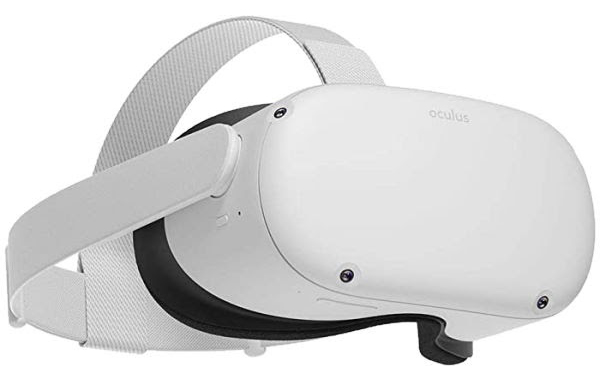
The Quest 2, from Meta (formerly Oculus), was the best-known standalone headset of its generation. It shared a similar shape to the Neo 2 but had sleeker, curved controllers and a lower price near $400. Its display resolution was below the Neo and its refresh rate slightly slower at 72 Hz.
Pico neo 2 vs Oculus go
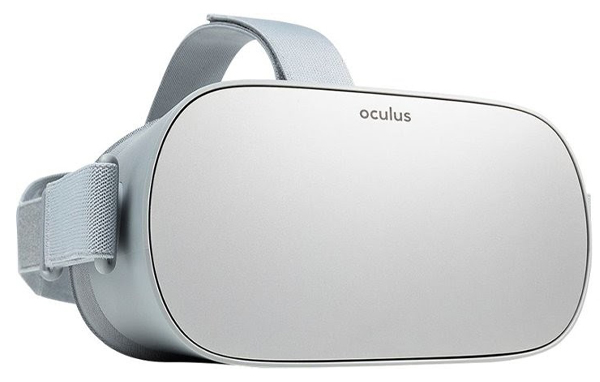
The Oculus Go was a very cheap headset at $199, since discontinued by Meta. Its hardware was modest next to the Quest 2 and Neo 2: 3 GB of RAM and a 2560×1440 display, with basic three-degrees-of-freedom controls. It behaved more like a smartphone adapted to VR than a full standalone system.
Pico neo 2 vs pimax 4K
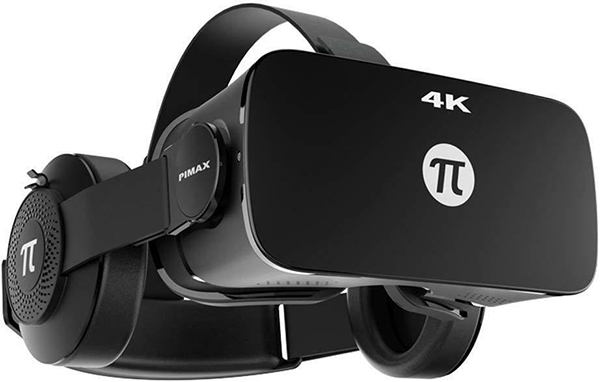
The Pimax 4K stood out first for weight, a full 60 grams lighter than the Neo. As the name says, it offered 4K visuals, matched only by the Neo 2 Eye and not the standard Neo 2. The catch: at around $450 it shipped without controllers by default.
Pico neo vs Vive pro 2
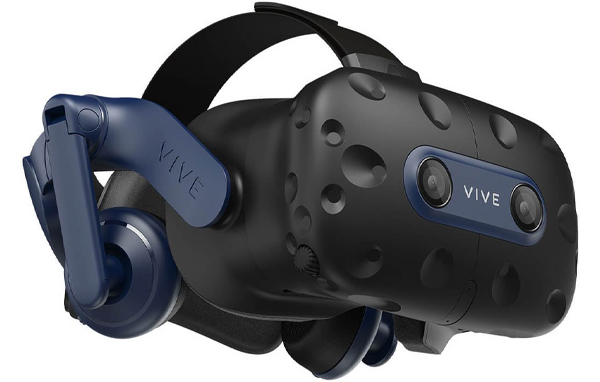
The Vive Pro 2, a top HTC Vive model, outspecs the Neo with 5K resolution, a 120 Hz refresh rate, and a 120-degree field of view against the Neo’s 101 degrees. The trade-off is price: the Neo 2 offered slightly weaker hardware for around $650 against $800 for the Vive Pro 2.
For more information, check out our breakdown
of the best VR headsets for development.
How Pico supports enterprises
Unlike most VR makers, Pico does more than ship a headset and move on, and it does not sell through major consumer marketplaces. It partners with businesses, assesses their needs before sending hardware, and supports them long after. Its enterprise support includes:
- Remote management
Senior specialists can manage and update all devices within the company from any location. - Customization
Tweaks to the hardware and software can be implemented before devices are ever shipped to your business. - Fast logistics
Pico processes bulk orders relatively quickly (in just under 2 months). Orders of under 100 are shipped right away. - Synchronization across devices
The management features also apply to playback, which can be controlled on all devices simultaneously with a simple PC application. - Hygienic components
Pico helps you maintain the hygiene and cleanliness of your oft-reused devices with face inserts that are easy to replace and clean.
How you can use Pico neo in your business
The business applications of the platform are wide-ranging.
Real Estate
Create visualizations, virtual tours, and walkthroughs for agents and clients. Use the technology for virtual homes with customization options.
Construction
Speed up construction planning, make training safer, and improve coordination in construction crews. Find new ways to cut costs and use fewer materials.
Manufacturing
Build versatile tools for prototyping and testing. You can also create a hazard-free training environment for employees.
How to start building your application for Pico neo
A Pico headset needs the right software to be useful. You can build enterprise applications with in-house developers, or train specialists using the developer tools, courses, and handbooks Pico provides. The Pico Unity SDK is a useful starting point.
On the other hand, if you don’t have an in-house team with the relevant VR experience, the fastest solution will be to partner with another company that provides the team and builds the application under your watch.
Program-Ace has developed VR applications since 1992, across 900+ projects and a portfolio of VR work. From Pico Neo and Pico 4 to Meta Quest, Vive, and lesser-known devices, our developers have built for a wide range of hardware. Working with us, your application is sound on both the technical and business side. To discuss your project, contact us at any time.