
The best VR headset for development depends on the platform, audience, and use case. For new standalone VR and mixed reality projects, developers can consider Meta Quest 3 and Quest 3S. For managed business deployments, current options include VIVE Focus Vision and PICO 4 Ultra Enterprise. Apple Vision Pro is a separate platform for apps built for visionOS. Valve Index remains relevant for some existing SteamVR projects, but it is no longer being produced.
Older headsets can still matter when a project needs to support an existing audience or hardware already deployed by a client. This guide compares current development options and explains where older headsets fit.
Looking for VR app development services?
VR headset development in 2026
There is no single headset that fits every VR project. Before choosing hardware, decide whether the app will run as a standalone experience or connect to a PC, whether it needs mixed reality or hand tracking, and whether the client must manage multiple devices.
For new Meta Horizon OS projects, compare Meta Quest 3 and Quest 3S specifications. For business deployments, review VIVE Focus Vision and PICO 4 Ultra Enterprise. For Apple’s platform, consult the visionOS developer documentation.
Headsets from earlier generations may still be useful for maintaining or testing existing applications. Check their availability, software support, and compatibility before selecting them for a new project.
What VR headset to choose for application development?
Meta Quest 3 and Quest 3S
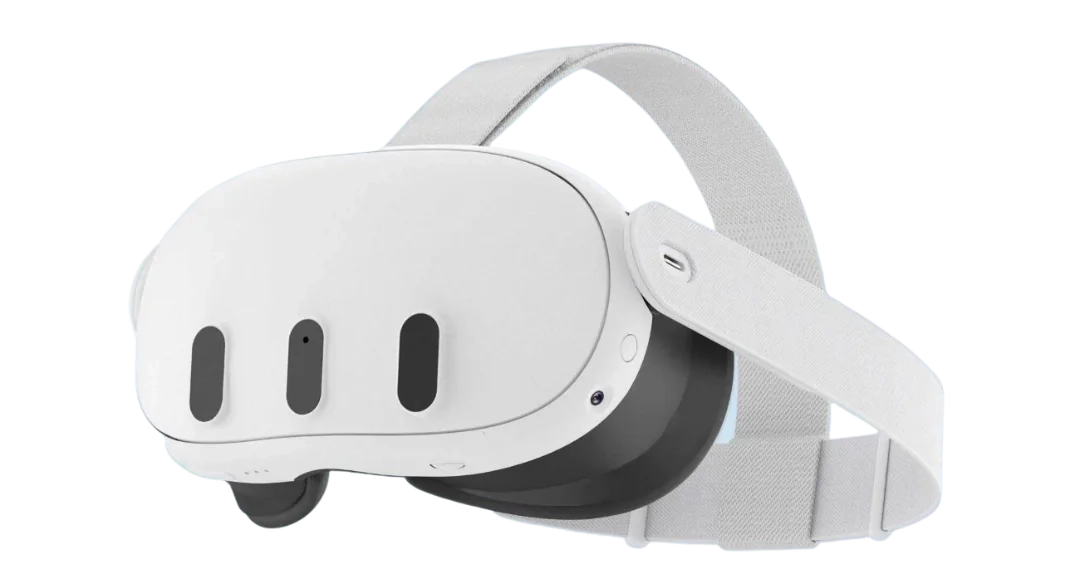
Meta Quest 3 and Quest 3S are current standalone headsets in Meta’s developer lineup. Both support VR and mixed reality, and can connect to a PC through Meta Quest Link. Quest 3 and Quest 3S have different display and hardware specifications, so developers should test their applications on the specific models they plan to support.
Advantages of Meta Quest 3 and Quest 3S:
- Standalone operation without a PC
- Support for VR, mixed reality, and hand tracking
- Both models are listed in Meta’s current developer device comparison
- PC VR support through Meta Quest Link
Limitations of Meta Quest 3 and Quest 3S:
- Performance and display capabilities differ between the models
- Standalone apps must be optimized for mobile hardware
- Testing on one model alone may not reveal issues on the other
See Meta’s current device comparison for specifications and development details.
VIVE Focus Vision
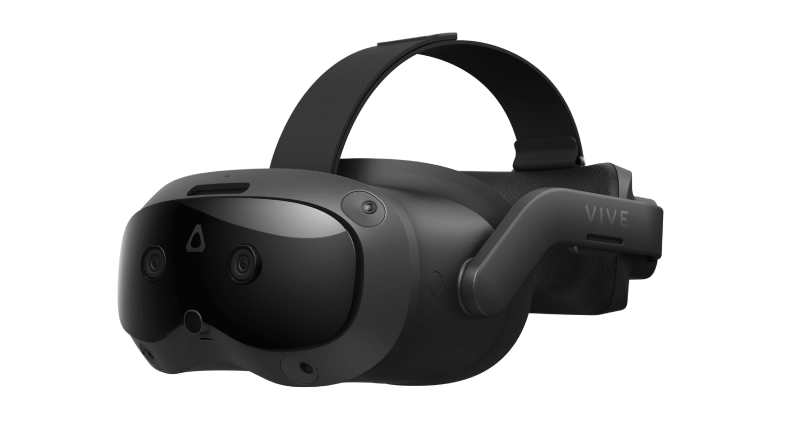
VIVE Focus Vision is an HTC headset for standalone XR and business use. It supports inside-out tracking, hand tracking, eye tracking, and PC VR streaming. Its Business Edition works with VIVE’s device-management tools and commercial support services.
Advantages of VIVE Focus Vision:
- Standalone operation and PC VR streaming
- Business device-management options
- Features for shared-device deployments, including hot-swappable batteries and automatic IPD adjustment
Limitations of VIVE Focus Vision:
- Business use requires the appropriate commercial edition and service activation
- Features and deployment costs depend on the selected configuration
- Projects should be tested with the intended streaming and management setup
Check the VIVE Focus Vision product information for current business requirements.
PICO 4 Ultra Enterprise
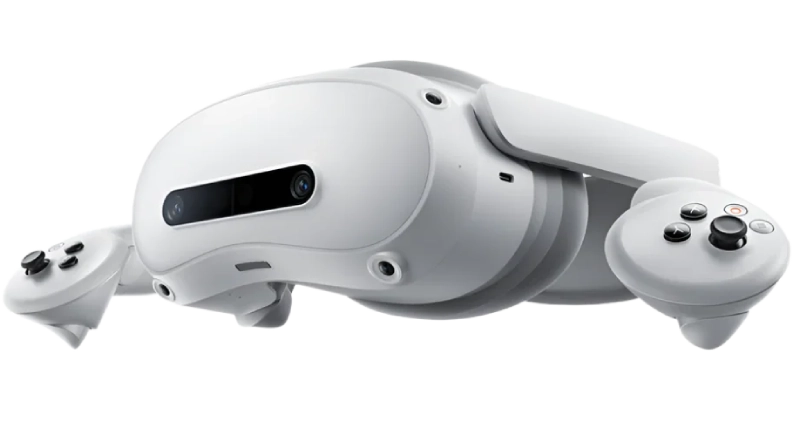
PICO 4 Ultra Enterprise is a standalone mixed reality headset for business deployments. Its specifications include a Snapdragon XR2 Gen 2 processor, 12 GB of memory, color passthrough cameras, and support for PICO’s enterprise tools and SDKs.
Advantages of PICO 4 Ultra Enterprise:
- Standalone VR and mixed reality capabilities
- Business device-management and enterprise SDK options
- Options for managing deployments across multiple headsets
Limitations of PICO 4 Ultra Enterprise:
- Confirm regional availability and service requirements before selecting it
- Check that the target app’s SDKs and features are supported on the chosen device
- Test performance with the actual 3D assets and user workflow
See the current PICO 4 Ultra Enterprise specifications and PICO Enterprise SDK documentation.
Apple Vision Pro
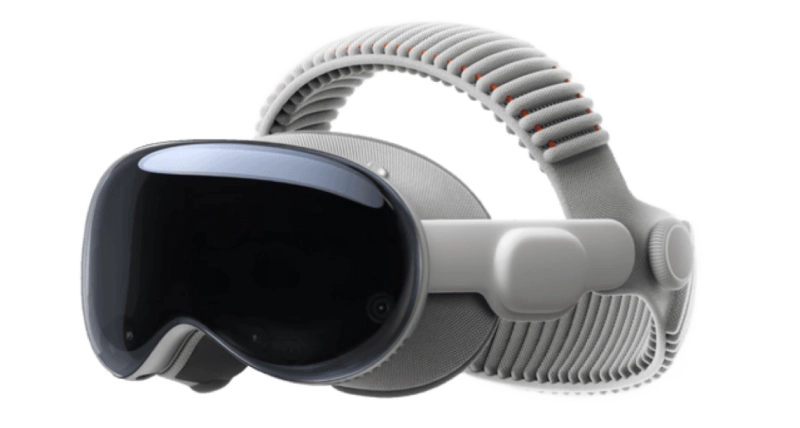
Apple Vision Pro is intended for apps built for Apple’s visionOS platform. Consider it when a project needs to support Apple’s spatial computing environment; it is not a drop-in replacement for a Meta Quest or SteamVR target.
Advantages of Apple Vision Pro:
- Dedicated platform for spatial apps and immersive experiences
- visionOS supports apps built with Apple’s development tools and frameworks
- Can fit projects aimed at users in the Apple ecosystem
Limitations of Apple Vision Pro:
- Requires a separate visionOS development and testing plan
- Apple’s development workflow requires a Mac with Apple silicon
- Apps for other VR platforms may need adaptation rather than a direct port
Review Apple’s visionOS developer documentation before scoping a project.
Oculus Rift S
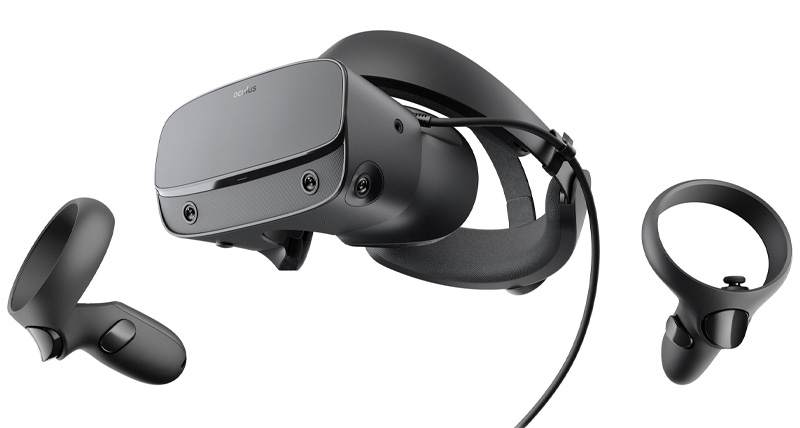
Oculus Rift S is a legacy PC VR headset. Meta ended sales of the Rift S in 2021, so it is not a current headset for new development. It may still matter when a client needs to test or maintain an existing PC VR application for this device.
Advantages of Oculus Rift S for legacy projects:
- Can be considered when supporting an existing Rift application
- Uses a PC-connected VR setup
- May be relevant for compatibility testing on client-owned hardware
Limitations of Oculus Rift S:
- No longer produced
- Requires a compatible PC and legacy setup
- Not a suitable default target for a new VR product
Meta confirmed that Rift S sales would end in 2021 in its Quest 2 announcement.
HTC Vive
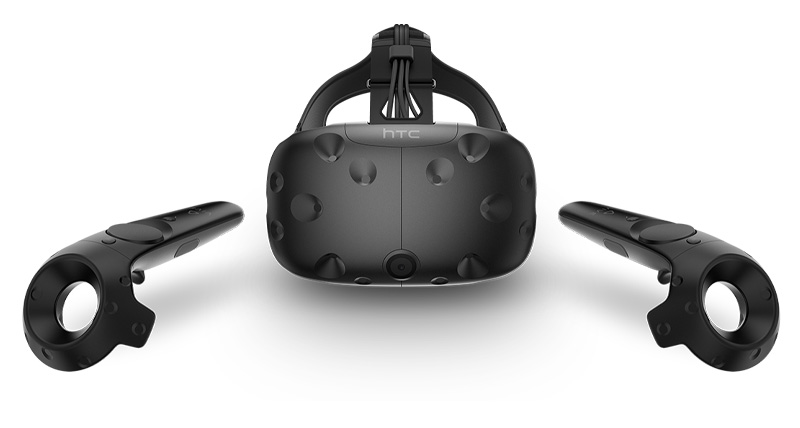
This image shows the original HTC Vive, an earlier PC-connected headset. It may be relevant for testing or maintaining existing applications, but “HTC Vive” should not be used as the name of a current development headset. HTC’s business lineup includes newer devices such as VIVE Focus Vision.
Advantages of the original HTC Vive for legacy projects:
- May be useful when a client already owns the hardware
- Can support testing of an existing SteamVR project
- Its base-station setup may remain relevant to an installed deployment
Limitations of the original HTC Vive:
- It is an earlier-generation headset
- Requires a PC-connected setup and compatible components
- Its price and specifications in older reviews should not be used as current buying advice
For current business hardware, see VIVE Focus Vision.
Valve Index

Valve Index is a PC VR system for SteamVR. It is no longer being produced, but Valve says existing devices remain supported on Steam and SteamVR. It can still be considered for testing or maintaining a project that targets Index users or an existing SteamVR installation.
Advantages of Valve Index for existing projects:
- Continued SteamVR support for existing devices
- Useful for PC VR applications that already target SteamVR
- Can be used with compatible SteamVR tracking components
Limitations of Valve Index:
- No longer being produced
- Requires a PC-connected setup and compatible components
- Not a practical default recommendation for new hardware deployments
Check Valve’s current Index support and availability information.
Oculus Quest 1 and Quest 2

The first-generation Quest and Quest 2 are earlier standalone headsets. Meta now lists Quest 3 and Quest 3S as its baseline devices for new development. Quest 2 can still matter for existing apps and audiences, but Meta has announced that feature development will end with the v213 release in March 2027. New app submissions for Quest 2 are scheduled to close in December 2027.
Advantages of Quest 1 and Quest 2 for existing projects:
- Relevant when maintaining an app already used on these devices
- Quest 2 apps and updates remain available during Meta’s support transition
- Useful for compatibility testing when the client’s audience still uses them
Limitations of Quest 1 and Quest 2:
- Quest 1 is a legacy target
- Quest 2 is approaching the end of feature development
- New projects should be planned and tested for currently supported devices
Meta has published the Quest 2 support timeline. For the current Quest lineup, see the Meta developer device comparison.
Google Cardboard

Google Cardboard is a low-cost phone viewer that can still be used for simple VR demonstrations and some educational experiences. It is not comparable to a modern standalone headset. Google released the Cardboard project as open source and said it was no longer actively developing the Google VR SDK.
Advantages of Google Cardboard:
- Low-cost way to demonstrate basic phone-based VR
- Open-source SDK and sample projects remain available
- Can be considered for simple prototypes or legacy apps
Limitations of Google Cardboard:
- Depends on the phone’s capabilities and compatibility
- Offers fewer interaction options than current standalone headsets
- Google is no longer actively developing the Google VR SDK
See Google’s Cardboard SDK announcement and the open-source project.
Merge Headset

The Merge Headset is a phone-based viewer associated with classroom and educational experiences. It may still be relevant when a school or client already uses Merge hardware, but treat it as a specific education-focused target rather than a general-purpose development headset.
Advantages of the Merge Headset:
- Can be used with compatible phone-based experiences
- May fit educational demonstrations and existing Merge deployments
- Can be evaluated alongside Merge Cube experiences
Limitations of the Merge Headset:
- Requires compatible phones and apps
- Has fewer capabilities than current standalone VR and MR headsets
- Confirm current app, phone, and operating-system compatibility before planning a project
Merge’s current Miniverse information describes supported phone-based experiences.
PICO Neo 1 and Neo 2

PICO Neo 1 and Neo 2 are earlier-generation standalone headsets. They may be relevant when a client needs to maintain an existing deployment, but they should not be presented as the current PICO hardware choice for a new enterprise project. PICO’s current business portfolio includes PICO 4 Ultra Enterprise.
Advantages of PICO Neo devices for existing projects:
- May support testing of applications already deployed on the hardware
- Relevant for clients with an existing PICO device fleet
- Some enterprise tools may remain available depending on the model and system version
Limitations of PICO Neo devices:
- Older models should be checked against current SDK and OS requirements
- Feature and support status varies by model
- For new enterprise deployments, compare current hardware such as PICO 4 Ultra Enterprise
See PICO 4 Ultra Enterprise specifications and the PICO Enterprise SDK documentation.
Learn more about PICO Neo headsets
Which industries use VR headsets?
VR headsets are used in education, automotive design, manufacturing, real estate, retail, and healthcare. The examples below illustrate specific deployments or projects; they should be read as case examples, not as claims about current headset availability.
-
Education
VR can give students an opportunity to interact with simulated environments and objects. The Broward County Main Library in Florida made Merge headsets available to visitors with educational apps. Read the case report. For more on this area, see virtual reality in education.
-
Automotive
Automotive teams can use VR to review vehicle designs and collaborate on virtual prototypes. In 2020, Ford designers used HTC Vive Pro headsets to review vehicle models remotely during COVID-19 restrictions. This is a historical example of remote design review; see the original report.
-
Manufacturing
Researchers have explored VR interfaces for training and for controlling industrial equipment. In 2017, an MIT research team demonstrated a system for controlling a robot arm with a VR headset. This was a research project, not a commercial deployment; read the MIT report.
-
Real estate
VR tours can let prospective buyers inspect a property remotely. They can also help real estate teams present unbuilt or vacant spaces. Learn more about VR for real estate.
-
Retail
Virtual showrooms can help shoppers view products in a simulated space. In 2020, MADE.com launched a Google Cardboard showroom. Keep this as a dated example, not as a current service; see the launch coverage.
-
Healthcare
VR can support medical education and practice in simulated environments. The Johnson & Johnson Institute describes VR training for healthcare professionals on its current VR page. Read more about VR in healthcare.
Where do I find VR developers for my business?
Choosing a headset is only one part of planning a VR project. The development team also needs to account for the target platform, software tools, device performance, user testing, and any requirements for managing hardware across an organization.
Program-Ace develops immersive applications for VR and mixed reality platforms. A project can focus on a specific headset or support several devices, depending on the client’s audience and technical requirements.
If you need a team to build or update a VR application, contact Program-Ace to discuss the target platform and project scope.