
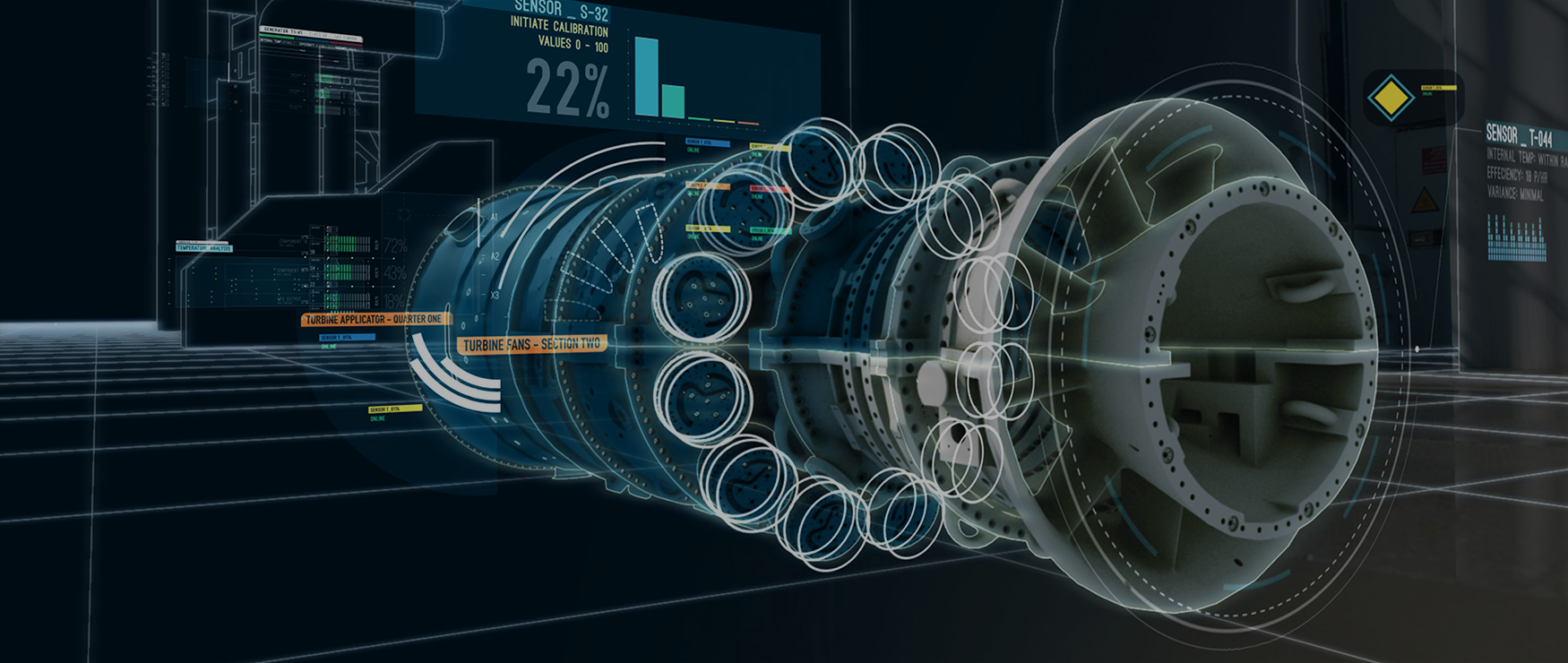
Integrating 3D visualization into PLM (product lifecycle management) lets teams see and interact with product data as live 3D models rather than flat drawings and spreadsheets, making complex information faster to understand across engineering, manufacturing, and sales. This guide covers what PLM is, the role of 3D visualization, how to integrate it into PLM interfaces, and practical tips for doing it well.
Visualization is a very common component of product lifecycle management, allowing business owners to see digital representations of products, supply chain systems, and data-driven elements of the lifecycle.
To better understand the connection between visualization and PLM, we will have to examine in detail what each term means and how they work.
What is PLM?
Product lifecycle management can be a complex thing to wrap your head around, but you should have no problem after you get the basic gist of it.
To put it simply, PLM can be described as a synchronous optimization of all stages of a product’s lifecycle. For perspective, you can imagine the making of a soft toy. One stage will focus on creating the design, another will produce the stuffing material, a third will transport the material to the place where the toy is sewn together, a fourth will sow it together, and so on. Each stage has its own workers who focus on a stage and can only improve results in this one stage.
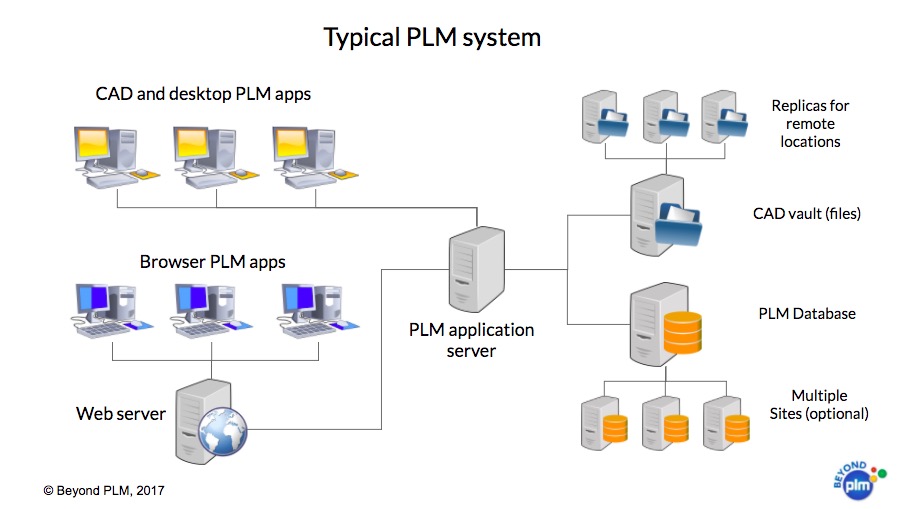
PLM has become a valued and widely-accepted practice in business because it offers a stark contrast to traditional lifecycles like the one brought up in our example.
A good PLM system should simultaneously analyze all of the stages of the lifecycle as a whole, and determine ways to improve and optimize them based on this complete picture. It does not examine how to make stage 1 of the lifecycle faster to move on to stage 2, but rather which changes to individual stages need to be applied to make the whole sequence faster.
General stages of a product lifecycle:
- Conceptualization and market research
- Design and planning
- Purchase and preparation of materials
- Production
- Packaging and storage
- Distribution
- Maintenance and support
- Disposal and utilization
While the concept of PLM has existed for several centuries, it only became a viable solution with the rise of computers, which were able to process data and extrapolate it much more quickly and efficiently than humans ever could. Given this massive advantage offered by computers, it is not surprising that most (if not all) successful PLM systems run with the help of computer software. The PLM software market is dominated by big tech companies like Autodesk, Siemens, and Oracle, though smaller companies like Upchain, Aras, and PTC have also grown to prominence.
There are dozens of popular PLM applications available nowadays, including Teamcenter, Agile PLM, Netsuite, Windchill, and Vault.
The role of 3D visualization in product pipeline
When fused with a PLM system, visualization can provide a number of additional benefits, especially during design and production.
The data that goes into such a system can be rendered as both 2D and 3D models, though 3D is certainly more popular. 2D is chiefly used for plans, schematics, and user interfaces, while 3D has a much wider range of use. Visualization can be created for different platforms, including desktop, mobile, and VR/AR/MR.
Common uses of 3D visualization
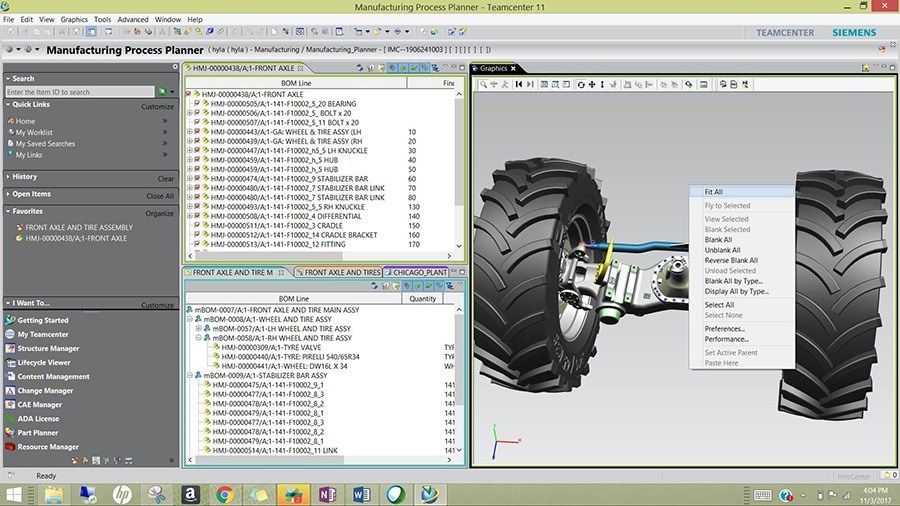
Most of the time, visualization in PLM is used to create digital models of products and systems, simulation of production & supply chain processes, and prototypes.
For example, having an accurate and modifiable digital model of the product during manufacturing can allow you to continue making design adjustments and implementing them in real-time.
Additional uses
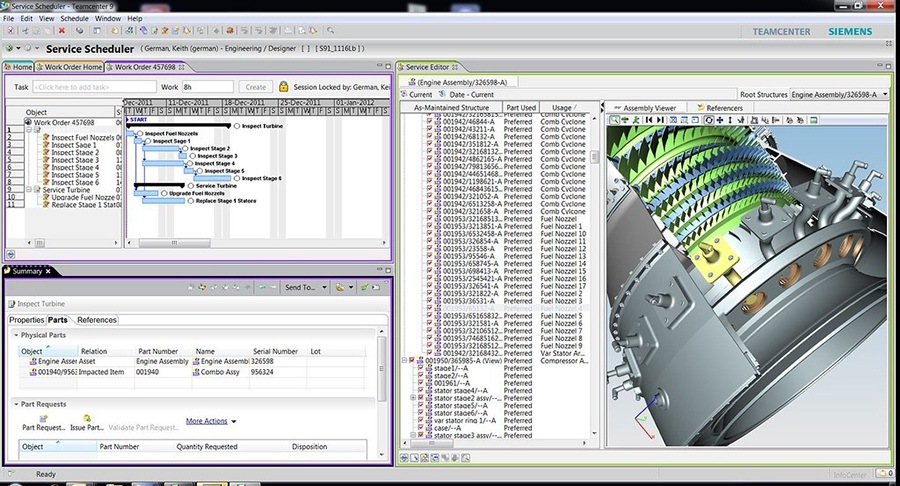
Siemens PLM interface
Additionally, visualization is key to creating digital twins (digital representations of a product or system), which are extremely useful in optimizing performance and testing.
Finally, one of the greatest benefits of this approach is that it makes complex data accessible and understandable to all specialists, even allowing them to interact with the models if this is a VR/AR application.
Tools and software for 3D visualisation development
While there is a multitude of 3D visualization applications that can be used for animation, modeling, and rendering, the number of options compatible with PLM software is quite limited. Thus, we would like to bring the focus on 2 great choices in this field – Unity and Unreal Engine. Both are game engines traditionally used for game development, but they have very powerful and versatile functionality that allows for other uses, including virtual/augmented reality solutions and all sorts of visualizations. There are many distinctions between the two options, but speaking generally, Unity is most valued for the high speed of development it allows, while Unreal Engine graphics are often praised as superior.
3D visualisation integration into PLM system
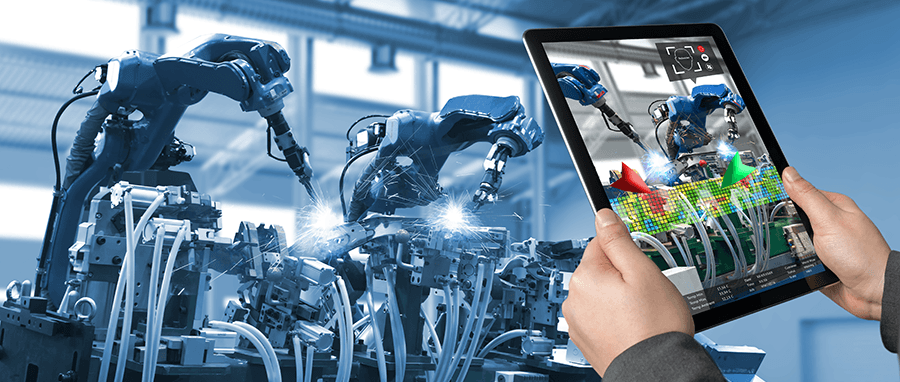
Now that we’ve covered the advantages gained from the combination of product lifecycle management systems and visualization, we can get to the nitty-gritty of how the two are fused. Since 2D and 3D models in this context are made based on data from real-life objects and systems, there must be some force connecting a PLM system to 2D/3D modeling software. To be more specific, this is a specific tool and application that serves as a middle point linked to visualization software on one side, and PLM software on the other.
Ideally, the PLM software you are using will have an additional API/Plugin/Extension that converts data to visual assets.
For example, the very popular Teamcenter application can convert data to 3D Unity assets with the help of connector products from Atos and PiXYZ. If your PLM client lacks such conversion tools, it will be essential for them to be developed by a qualified company familiar with your PLM system and visualization application of choice.
Further tips
If your company is using a software-based PLM system and you think the business can benefit from visualization, you are probably curious about the next steps.
Due to the great complexity of the two systems, it can take a great amount of time to pick the right 2D/3D software and figure out how to integrate it with product lifecycle management. Conversely, you can hire the services of a company that is already capable of such tasks.
Program-Ace is an R&D company with a long history of building innovative solutions.
We have decades of expertise in modeling, software engineering, VR/AR/MR application development, and various other technologies at the forefront of technological progress. Thus, you can trust us with your “PLM + Visualization” needs, including the development of accurate 2D/3D models, software integration, and creation of digital twins.